

🕐 Read Time: 16 min
When Should Dermatology Clinics Switch Their EHR
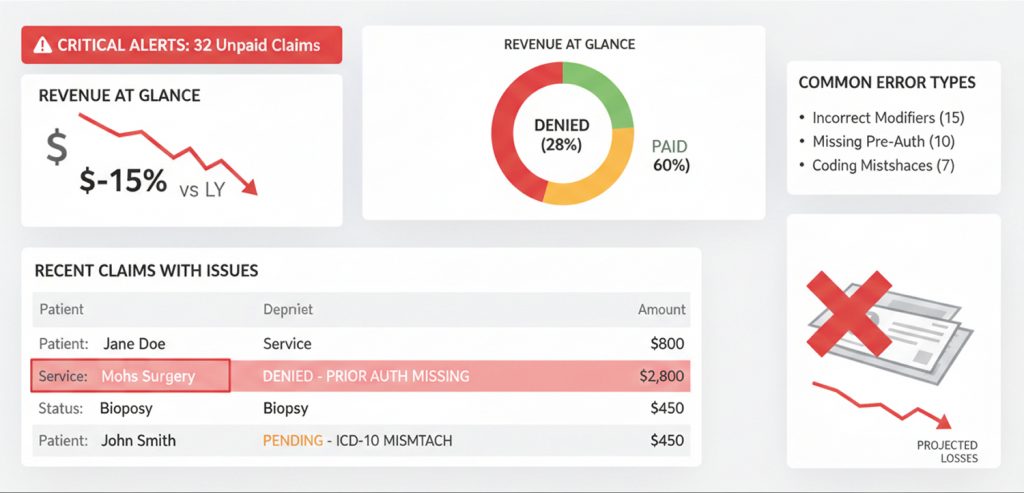
Most dermatology clinics do not plan to outgrow their EHR. It happens gradually. A workaround here, a manual process there, a billing team that has quietly learned to expect denials. By the time the frustration is visible at the leadership level, the system has usually been failing for months.
The decision to switch EHR platforms is not one most practices take lightly. Migration is disruptive, staff retraining takes time, and the risk of data loss is real. But staying with a system that no longer fits your practice carries its own cost in revenue, staff time, patient experience and clinical risk.
This guide covers the specific signs that a dermatology EHR has reached its limit, the operational and financial impact of staying too long, what a responsible switch looks like, and how modern platforms handle what legacy systems cannot.
Why Dermatology EHR Switching Is Different
Switching EHR systems is complex for any specialty. For dermatology, the complexity is compounded by the dual nature of the practice itself.
A dermatology clinic managing both medical and cosmetic services runs two fundamentally different workflows inside the same system. Insurance billing, prior authorizations, and clinical documentation must coexist with cash-pay checkout, injectable inventory, cosmetic package tracking, and photo documentation. Most EHRs are not built to handle both.
When a system breaks down in dermatology, it rarely breaks cleanly. Instead, practices accumulate workarounds, a second software for cosmetic billing, a spreadsheet for inventory, a shared drive for photos. Each workaround adds staff overhead and compliance risk. Over time the true cost becomes difficult to quantify because it is spread across every part of the practice.
The top 5 dermatology EHR software comparison for 2026 shows how far modern platforms have moved beyond legacy systems in handling exactly this complexity.
10 Signs Your Dermatology EHR Is Failing
1. Your Billing Team Is Working Around the System
If your billing staff has developed a parallel process, copying data into spreadsheets, manually entering codes the system should capture automatically, or cross-referencing claims in a second tool, your EHR has already failed them.
Auto Capture of ICD and CPT Codes should pull diagnosis and procedure data directly from the clinical note. Real-Time Insurance Eligibility Checks should flag coverage issues before the appointment begins, not after a claim is denied. If neither of these is working reliably, manual workarounds will keep accumulating.
For practices seeing high denial rates, the dermatology claim denials guide for California practices breaks down the most common coding errors that drive rejections and how automated billing tools prevent them.
2. Claim Denial Rates Are Consistently Above 5 Percent
A denial rate above 5 percent is an industry flag for billing workflow problems. In dermatology, where a single visit may involve multiple procedures across both medical and cosmetic services, coding complexity is high and the margin for error is narrow.
If your EHR is not surfacing modifier requirements, flagging incomplete documentation before claim submission, or automating eligibility verification, you are absorbing denials that a modern system would prevent.
Claims Management tools in purpose-built dermatology EHRs handle submission, tracking, and denial follow-up in a single workflow rather than requiring staff to manage this across multiple systems.
The dermatology billing and coding workflow guide and the dermatology revenue cycle management guide for Florida practices both cover how RCM failures compound over time when the underlying EHR is not built for dermatology’s billing complexity.
3. Providers Are Spending More Than 15 Minutes Per Note
Documentation time is a direct proxy for EHR efficiency. When providers are completing notes after hours or pulling time away from patient care to finish documentation, the system is creating clinical risk and physician burnout.
Modern dermatology EHRs use AI-Powered Documentation, Integrated Speech-to-text, and Conversation Capture to Structured Notes to reduce note completion time significantly. If your current system requires manual entry for every field, you are operating with 2015 technology in a 2026 practice environment.
The AI documentation workflow for dermatology and the AI-powered EHR overview for Florida dermatology practices explain what AI-assisted documentation looks like in real clinical settings. State-specific guides for California, Florida, and Texas cover implementation context for dermatology-specific AI scribe tools.
4. Your Cosmetic Workflow Lives Outside the EHR
If your practice manages cosmetic services through a separate platform, a point-of-sale system, or manual spreadsheets, you are running a fragmented operation. This fragmentation creates:
- Double data entry across systems
- No unified patient record linking medical and cosmetic history
- Inventory discrepancies for injectables and retail products
- Consent forms stored outside the clinical chart
- Revenue leakage from unbilled or improperly tracked cosmetic sessions
A purpose-built Advanced EHR handles both workflows natively. If your current system cannot, that gap alone may justify switching.
5. Scheduling Is a Daily Source of Staff Frustration
Dermatology scheduling is inherently complex. Medical appointments, cosmetic consultations, laser sessions, biologic injection visits, and phototherapy series all require different durations, rooms, and staff. A basic calendar tool cannot manage this at volume.
If your front desk is manually managing schedule conflicts, double-booking rooms, or losing cosmetic consultation slots to medical walk-ins, your Scheduling system is not fit for purpose.
The dermatology scheduling software guide covers what a dermatology-specific scheduling module needs to handle, and the best healthcare scheduling software guide for California practices shows what this looks like operationally.
6. Patient Intake Is Still Paper-Based
Paper intake forms create transcription errors, slow check-in, and produce data that never integrates cleanly with the clinical record. For a hybrid dermatology practice, this problem is doubled, medical history forms and cosmetic goal documentation both need to flow into the chart accurately.
Patient Intake with Auto Charting and an integrated Patient Portal allow patients to complete intake before arrival and have their responses populate directly into the EHR. The dermatology patient intake software guide covers what this workflow looks like in practice.
7. You Have No Real-Time Visibility Into Practice Performance
If your practice manager pulls revenue data from one system, scheduling data from another, and inventory figures from a spreadsheet to produce a monthly report, you are flying blind operationally.
Analytics and Reporting tools that surface revenue by provider, procedure type, and service line in real time allow you to make decisions based on current data rather than last month’s numbers. Without this, underperforming service lines go undetected and staffing decisions are made on instinct rather than evidence.
8. Your EHR Vendor Has Stopped Developing the Product
Dermatology EHR software should be actively improving. AI documentation, ambient listening, automated coding, and telehealth integration are not future features, they are available now in leading platforms. If your vendor has not released meaningful product updates in the past 12 months, or if their roadmap does not address AI and automation, you are falling behind a moving standard.
The best dermatology EHR for 2026 overview and the guide to choosing a dermatology EHR in the US both cover what a modern platform’s feature set should include.
9. Staff Turnover Is Partially Attributed to the EHR
When providers and clinical staff cite the EHR as a source of frustration in exit interviews or retention conversations, it is a measurable operational problem. Recruiting and onboarding a single clinical staff member costs thousands of dollars. If your EHR is contributing to turnover, the system cost is understated.
10. You Are Manually Tracking Injectable Inventory
Injectable inventory, Botox, Dysport, Restylane, Juvederm, and similar products, represents a significant cost of goods for any cosmetic dermatology practice. If this is tracked in a spreadsheet, the risk of discrepancy between product purchased and product billed is high.
The dermatology inventory tracking guide covers how integrated inventory management connects product usage to the clinical encounter automatically, eliminating manual reconciliation.
The Operational Impact of Staying Too Long
Each sign above carries a compounding cost. A practice with five of the ten signs above is not losing money in one place, it is losing it in every workflow simultaneously.
Consider a mid-size dermatology group with eight providers:
- A 7 percent claim denial rate on 400 weekly claims means roughly 28 denied claims per week. At an average reimbursement of $150, that is $4,200 in weekly revenue at risk, not counting the staff time to rework and resubmit.
- Providers spending 20 minutes per note on 30 patients per day means 10 hours of documentation time per provider per day across the group, time that could be reduced to 5 hours or fewer with AI-assisted tools.
- Injectable inventory tracked by spreadsheet with a 5 percent discrepancy rate on $50,000 in monthly product cost represents $2,500 in monthly unrecovered product cost.
These numbers are illustrative, but they reflect the ranges that practices typically encounter when they audit their own operations before switching. The cost of staying is real, it is measurable, and it compounds every month.
The dermatology EHR pricing guide for 2026 covers how to evaluate true total cost of ownership when comparing your current system’s hidden costs against the cost of switching.
The Cost of Not Switching
The cost of switching EHR systems is visible and easy to quantify, migration fees, training time, temporary productivity dip. The cost of not switching is harder to see because it is distributed across dozens of daily workflows.
Practices that delay switching because of transition risk often undercount:
- Revenue lost to claim denials that a modern billing system would prevent
- Provider time lost to documentation that AI tools would reduce
- Cosmetic revenue lost to unbilled sessions, package tracking errors, or cash-pay checkout friction
- Compliance risk from consent forms stored outside the chart, photos in a shared drive, or intake data that never integrates with the clinical record
- Staff cost from turnover driven by system frustration
The longer a practice delays, the larger the gap between what the current system delivers and what a modern platform provides. In a competitive US dermatology market, operational efficiency is also a patient experience differentiator. Practices with faster intake, better communication tools, and smoother scheduling retain patients at higher rates.
Patient Engagement tools including Automated Care Reminders, 2-way SMS Chat and Phone Calls, and Online Scheduling, directly improve patient retention metrics. If your current system offers none of these, you are competing with practices that do.
When NOT to Switch Your Dermatology EHR
Switching is not always the right answer. There are circumstances where staying with a current system, or addressing specific gaps rather than replacing the entire platform, is the more responsible decision.
You Are in the Middle of a Major Growth Phase
If your practice is opening a new location, onboarding multiple new providers, or acquiring another practice, adding an EHR migration to that operational load is high risk. Stabilize first, then plan the switch for a quieter period.
Your Contract Has Significant Exit Penalties
Review your current vendor contract carefully. Some EHR contracts include multi-year terms with substantial early termination fees. The cost of exiting early may outweigh the monthly benefit of switching until the contract term is closer to its natural end.
The Problems Are Addressable With Training
Occasionally, what appears to be a system failure is actually a training gap. If your EHR has features your team is not using automated reminders, eligibility verification, coding support, it is worth investing in a structured retraining effort before concluding the platform has reached its limit.
You Recently Completed a Migration
EHR migrations are operationally intensive. If your practice switched systems within the past 18 to 24 months, staff and workflows may still be adjusting. Give the current system a fair evaluation period before concluding it is not the right fit.
The Dermatology EHR Switching Checklist
Before initiating a switch, work through this checklist to ensure you are making the decision with complete information.
Operational audit
- Document your current claim denial rate and the primary denial reasons
- Calculate average provider documentation time per encounter
- Identify all workflows currently managed outside the EHR
- List all third-party tools currently compensating for EHR gaps
Vendor evaluation
- Confirm the new platform natively supports both medical and cosmetic dermatology workflows
- Test the billing workflow end to end — insurance claim cycle and cash-pay checkout
- Verify photo documentation is integrated with the clinical chart, not stored separately
- Confirm inventory management for injectables is built in, not bolted on
- Evaluate AI documentation capabilities: AI-Powered Documentation and Telehealth with AI Scribe specifically
- Review Practice Management tools: Scheduling, Task Management, Referral Management, and Document Management
- Assess Billing and Revenue Cycle Management depth: claims, eligibility, coding automation
Contract and pricing
- Confirm your current contract’s exit terms and notice period
- Get full pricing from the new vendor including implementation, training, and ongoing fees
- Compare the dermatology EHR pricing guide for 2026 benchmarks against vendor quotes
References
- Request references specifically from hybrid dermatology practices of similar size and service mix
- Ask references specifically about the migration experience, not just the product
Migration Considerations for Dermatology Practices
Migration is the most common reason practices delay switching even when they know the current system is failing them. The concerns are legitimate. Years of clinical notes, billing history, patient photos, and demographic data need to transfer accurately to the new system.
Key migration considerations for dermatology practices include:
Clinical note transfer: Structured notes transfer more cleanly than free-text entries. If your current system stores notes in a proprietary format, confirm the new vendor’s ability to import them in a readable, searchable format.
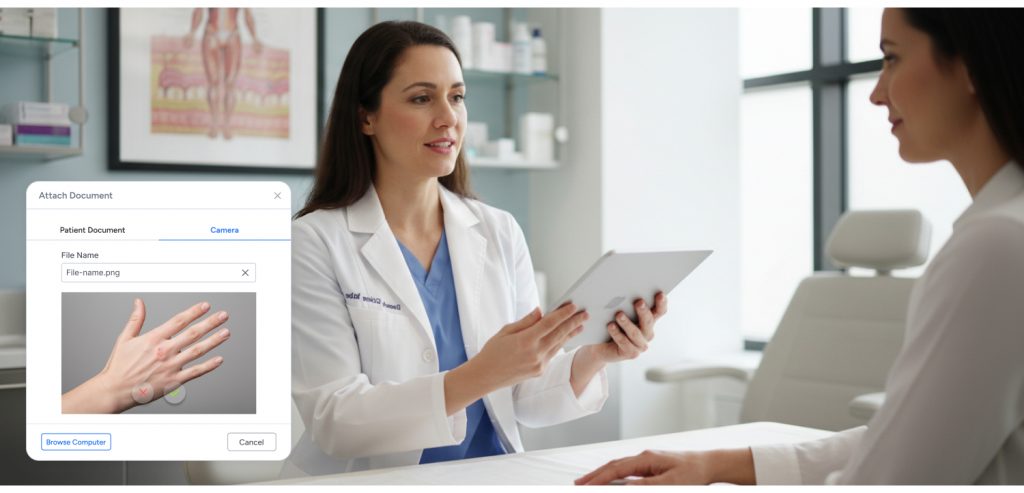
Photo migration: Before-and-after photos linked to patient records are particularly important in dermatology. Confirm that migrated photos retain their linkage to the correct patient chart and visit date.
Billing history: At minimum, open claims and outstanding accounts receivable need to transfer or be managed through the transition period with a clear handoff plan.
Staff training timeline: Plan for a productivity dip in the first four to eight weeks after go-live. Build this into your financial projections for the switch.
Go-live timing: Avoid switching in your practice’s highest-volume month. For most dermatology practices in the US, summer months see peak volume for cosmetic services. January or early fall are typically lower-risk go-live windows.
The dermatology EHR data migration guide covers what to expect at each stage of migration and how to evaluate vendor migration support commitments before signing a contract.
What a Modern Dermatology EHR Handles Differently
The gap between a legacy dermatology EHR and a purpose-built modern platform is significant across every workflow area.
Documentation
Legacy systems require manual entry for most clinical data. Modern platforms use AI-Powered Documentation, Integrated Speech-to-text, and Conversation Capture to Structured Notes to generate structured notes from spoken clinical dialogue. The provider reviews and confirms rather than builds the note from scratch.
Voice-to-note guides for California, Florida, and Texas cover how this workflow functions in state-specific dermatology environments.
Billing
Legacy systems require manual code entry, separate eligibility checks, and reactive denial management. Modern platforms use Auto Capture of ICD and CPT Codes from the clinical note, Real-Time Insurance Eligibility Checks at scheduling, and proactive Claims Management to prevent denials before they occur.
Patient Communication
Legacy systems send appointment reminders by automated phone call at best. Modern platforms support Automated Care Reminders, 2-way SMS Chat and Phone Calls, a full Patient Portal, and Online Scheduling all segmented by appointment type and patient service category.
Analytics
Legacy systems produce static monthly reports. Modern platforms surface Analytics and Reporting data in real time revenue by provider, procedure, and service line giving practice managers the visibility to make operational decisions without waiting for end-of-month reconciliation.
E-Prescribing
Modern dermatology EHRs include E-Prescribing and Medication Management with REMS compliance support for biologics and iPLEDGE integration for isotretinoin, removing the need for any external prescribing tool. The e-prescribing and medication management guide for Florida dermatology covers regulatory requirements in detail.
What Is a Cardiology EHR Buyer Checklist
Edvak is a cloud-based dermatology EHR and practice management platform built for the full complexity of modern dermatology medical and cosmetic workflows, insurance and cash-pay billing, photo documentation, injectable inventory, and AI-assisted clinical documentation in a single system.
For practices evaluating Edvak against competing platforms, the EzDerm vs Edvak comparison for 2026 and the Edvak vs ModMed comparison for small practices provide side-by-side analysis across billing, documentation, scheduling, and workflow depth.
The best dermatology EHR for US practices overview and the best AI dermatology EHR guide for 2026 place Edvak in the context of the broader market.
Edvak’s Advanced EHR covers clinical documentation, AI-assisted note completion, e-prescribing, labs, imaging, and telehealth. Practice Management handles scheduling, task routing, referral management, and document management. Patient Engagement covers the full patient communication stack. Billing and Revenue Cycle Management handles claims, eligibility, coding automation, and payment processing. Analytics and Reporting gives practice leadership real-time visibility across all service lines.
For practices in Texas, the best EHR for dermatology clinics in Texas guide and the best dermatology EMR for California clinics guide cover california-specific workflow and regulatory context.
If your practice is showing three or more of the signs covered in this article, the cost of staying with your current system is almost certainly higher than the cost of switching. Book a 30-minute demo with the Edvak team to see how it handles your specific workflows before making a decision.
Frequently Asked Questions about when dermatology clinics should switch their EHR
-
1. How do I know if my dermatology EHR problems are bad enough to justify switching?
The clearest signal is operational debt, the number of workarounds, manual processes, and third-party tools your team has added to compensate for what the EHR cannot do. If more than two workflows in your practice are managed outside the primary system, the gap has become structural rather than incidental. At that point, the question is not whether to switch but when.
-
2. What is the biggest risk when switching dermatology EHR systems?
Data integrity during migration is the highest risk, particularly for practices with years of clinical photos, structured notes, and billing history. The second-highest risk is staff productivity loss during the go-live period. Both are manageable with a vendor that provides dedicated migration support and a structured training program. The dermatology EHR data migration guide covers how to evaluate vendor support before signing a contract.
-
3. How long does a dermatology EHR migration typically take?
For a solo or small practice (one to three providers), implementation typically takes four to eight weeks from contract signing to go-live. For a mid-size group (four to ten providers), eight to sixteen weeks is more typical, depending on data volume, complexity of workflows, and staff training requirements.
-
4. Will switching EHR systems disrupt patient care?
A well-planned migration with a phased go-live approach minimizes patient-facing disruption. Most patients notice nothing during a transition managed by an experienced implementation team. The risk is highest in the first two to four weeks after go-live, when staff are still building speed in the new system. Scheduling slightly lower patient volume in that window reduces the impact.
-
5. Can I negotiate my current EHR contract exit terms?
In many cases, yes. EHR vendors have commercial incentive to retain clients and may offer reduced exit fees, extended support during transition, or modified notice periods if approached directly. Review your contract terms before assuming the exit cost is fixed.
-
6. Is there a bad time of year to switch dermatology EHR systems?
Peak volume periods, typically summer for cosmetic services and fall for skin cancer screenings, are the highest-risk windows. January and early spring are generally the lowest-risk go-live windows for US dermatology practices because volume is lower and staff have more capacity to absorb the learning curve.
-
7. What should I look for in a new dermatology EHR before switching?
At minimum: native support for both medical and cosmetic workflows, integrated billing for both insurance and cash-pay, AI-assisted documentation, integrated photo documentation, injectable inventory management, and a credible migration support process. The guide to choosing a dermatology EHR in the US for 2026 and the dermatology practice management software guide for 2026 provide a structured evaluation framework.
Ready to take the next step?
Get a personalized demo and see how Edvak can drive real impact to your practice.
Related Blogs




More Categories
Edvak.com Terms & Conditions Privacy Policy © 2026 Edvak. All rights reserved.