
🕐 Read Time: 16 min
Best Patient Intake Software with Auto-Charting in 2026
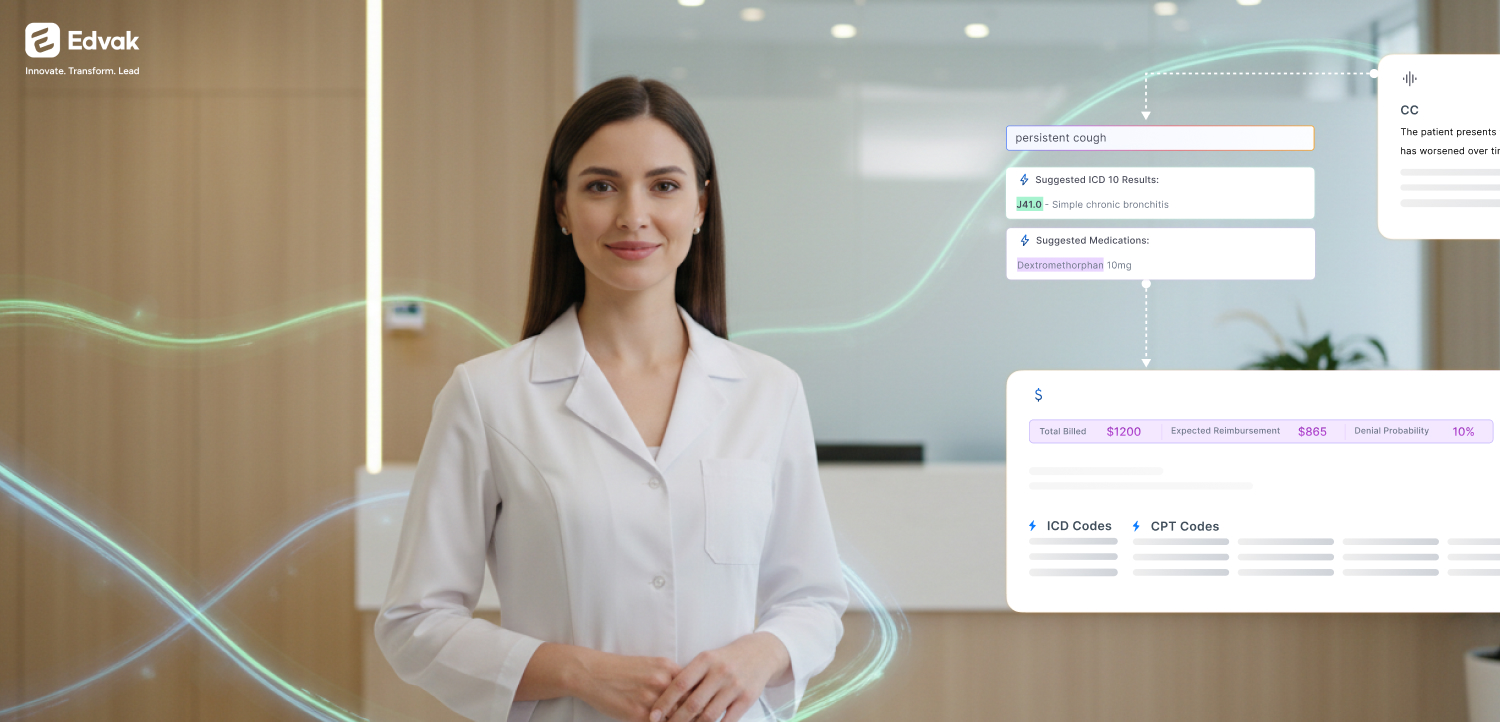
The best patient intake software with auto-charting should help healthcare practices collect patient information before the visit and automatically turn it into chart-ready data. Edvak is an AI-powered healthcare platform that helps practices digitize intake forms, capture demographics, insurance details, medical history, symptoms, consents, and signatures, then connect that information to patient charts, scheduling, documentation, billing workflows, analytics, and operations. Instead of leaving intake as a disconnected paperwork step, Edvak maps responses into the right fields and flags missing or mismatched information, so your front desk and providers spend less time on manual data entry.
Why healthcare practices are investing in patient intake software
For years, patient intake has been one of the most manual and frustrating parts of running a healthcare practice. Paper intake forms get lost, arrive incomplete, or have to be re-keyed by hand. That manual data entry creates front desk bottlenecks, long check-in times, and a steady stream of repetitive staff work.
The bigger problem is accuracy. Missing or mismatched patient information, insurance errors, and demographic mistakes slow everything down. When intake data is wrong or incomplete, providers can’t prepare properly, claims get delayed, and patients grow frustrated before they even see a clinician.
Most practices also run intake, scheduling, documentation, and billing as separate, disconnected workflows. Information collected at the front desk doesn’t automatically reach the chart or the billing team. That’s why practices are moving toward patient intake automation and connected platforms that turn intake into usable, chart-ready data.
What is patient intake software?
Patient intake software helps healthcare practices collect patient information before or at the start of a visit. Instead of paper clipboards, patients complete digital intake forms on their phone, tablet, or computer.
Patient intake software typically collects:
- Demographics and contact information
- Insurance details
- Medical history
- Current medications and allergies
- Symptoms and reason for visit
- Consent forms and HIPAA forms
- Signatures
- Referral information
Some tools simply collect digital forms and stop there. Broader platforms like Edvak go further: they map intake responses into chart-ready fields and connect intake to scheduling, documentation, billing, patient engagement, analytics, and operations. That difference, collecting forms versus connecting data, is the core of what separates a basic medical intake form software tool from a connected healthcare platform.
What is auto-charting in patient intake?
Auto-charting means intake responses are automatically mapped into the relevant parts of the patient chart or clinical workflow, instead of requiring staff to manually copy, paste, or retype information.
In practice, patient intake with auto-charting works like this:
- Demographics map to the patient profile
- Insurance details map to billing workflows
- Medical history maps to the chart
- Symptoms and reason for visit support documentation
- Consents and signatures are captured and tracked
- Missing or mismatched information is flagged for review
The goal is simple: collect once, use everywhere. Auto-charting patient intake software removes the duplicate typing that consumes front desk time and introduces errors.
Why patient intake should connect to the patient chart
Intake is not just an administrative box to check. The information collected during intake affects nearly every downstream workflow in the practice:
- Scheduling — confirming the right visit type and provider
- Eligibility and insurance — verifying coverage before the visit
- Provider preparation — giving clinicians context ahead of time
- Clinical documentation — populating the chart with structured data
- Coding and billing workflows — reducing claim errors and rework
- Follow-up tasks — triggering reminders and next steps
- Referrals — routing patients correctly
- Patient communication — personalizing outreach
- Reporting and analytics — measuring volume, no-shows, and bottlenecks
When intake is connected to the chart and the rest of the workflow, manual work drops and downstream accuracy improves. When it isn’t, every disconnected step becomes another place for information to get lost or re-entered.
What to look for in the best patient intake software with auto-charting
When evaluating patient intake software for clinics, look for these capabilities:
- Digital intake forms patients can complete before the visit
- A custom, drag-and-drop form builder
- Demographics capture
- Insurance information capture
- Medical history collection
- Symptoms and reason-for-visit capture
- Consent and signature tracking
- HIPAA-aligned data handling
- Auto-charting and field mapping
- Auto-validation for missing or mismatched information
- Template mapping into the chart
- Online scheduling connection
- Patient engagement connection
- Documentation workflow connection
- Billing workflow connection
- Document upload support
- Staff review and approval steps
- Reporting and analytics
- Ease of use for both patients and front desk staff
The strongest tools don’t just check these boxes individually, they connect them so intake data flows through the whole practice.
Best patient intake software with auto-charting
Here’s a high-level comparison of widely used patient intake and healthcare workflow tools. Use it as a starting point, then evaluate each against your own workflows.
Feature availability varies by plan and configuration. Use the table for direction, then confirm specifics with each vendor.
| Platform | Best for | Digital forms | Auto-charting | Scheduling connection | Billing connection | Best fit |
|---|---|---|---|---|---|---|
| Edvak | Connected intake, charting, and practice workflows | Yes | Yes | Yes | Yes | Practices that want intake connected to charts, scheduling, documentation, billing, patient engagement, analytics, and operations |
| Phreesia | Patient intake and registration at scale | Yes | Varies | Varies | Varies | Larger groups focused on registration and payments |
| NexHealth | Patient scheduling and engagement | Yes | Varies | Yes | Varies | Practices prioritizing online booking and reminders |
| Tebra | Combined practice management and EHR | Yes | Varies | Yes | Yes | Independent practices wanting an all-in-one suite |
| Jotform | General-purpose digital forms | Yes | Limited | Varies | No | Teams needing flexible standalone forms |
| IntakeQ | Intake forms for smaller practices | Yes | Limited | Varies | Varies | Solo and small behavioral or wellness practices |
| FormDr | HIPAA-aligned digital intake forms | Yes | Limited | No | No | Practices replacing paper with secure online forms |
| AdvancedMD | Practice management and billing suite | Yes | Varies | Yes | Yes | Multi-provider practices wanting an integrated suite |
“Varies” reflects that capabilities depend on plan, configuration, and integrations. Confirm current details directly with each vendor.
Platform overviews
Edvak
Edvak is an AI-powered healthcare platform, not just a patient intake tool. Patient intake and auto-charting are part of a broader workflow that includes scheduling, patient engagement, documentation, billing support, document management, analytics, and practice operations.
On the intake side, Edvak provides:
- Digital intake forms patients complete before or at the visit
- Demographics capture that flows into the patient profile
- Insurance information capture connected to billing workflows
- Medical history collection mapped to the chart
- Symptoms and reason-for-visit capture that supports documentation
- Consent and signature tracking with a clear record
- A drag-and-drop form builder so teams can create and adjust forms without technical help
Where Edvak stands apart is in connecting that intake data to the rest of the practice. With patient intake and auto-charting, responses are mapped in real time into chart templates, and the platform’s AI layer (Darwin AI) supports auto-validation that flags missing or mismatched information before it becomes a downstream problem.
Beyond intake, Edvak connects to:
- Online scheduling so booking and intake stay in sync
- Patient engagement through a patient portal, plus 2-way SMS chat and phone calls and automated care reminders
- Documentation workflows that turn intake into chart-ready notes
- Billing workflows that reduce re-entry and claim errors
- Document management for uploads and attachments
- Analytics and reporting across intake and practice operations
Why Edvak is different from standalone intake form tools: standalone tools help you collect forms. Edvak helps you turn patient intake into chart-ready clinical and administrative data and route it everywhere it needs to go, so your team isn’t rekeying information across disconnected systems. To see how this fits a modern record system, see Edvak’s guides on AI-native EHR software and AI-native EHR vs traditional EHR.
Phreesia
Phreesia is commonly known for patient intake, registration, and payment collection, often at a larger scale. It’s frequently used by bigger medical groups and health systems that want to streamline the registration and payment experience. Practices evaluating it typically weigh its registration strengths against their need for deeper chart and workflow connection.
NexHealth
NexHealth is often used for patient scheduling, online booking, reminders, and engagement. It may be a fit for practices that want to modernize how patients book and communicate. Teams considering it usually look at how its scheduling and engagement features line up with their intake and documentation needs.
Tebra
Tebra (formerly Kareo and PatientPop) is commonly known as a combined practice management and EHR offering for independent practices. It may be a fit for practices wanting an all-in-one suite that bundles scheduling, billing, and basic intake. Buyers often compare its breadth against how connected the individual modules feel.
Jotform
Jotform is a general-purpose online form builder used across many industries, including healthcare. It’s best suited for teams that need flexible, customizable standalone forms and offer HIPAA-friendly options on certain plans. Because it isn’t a dedicated healthcare platform, practices typically pair it with other systems for charting and billing.
IntakeQ
IntakeQ is often used for intake forms by smaller practices, including behavioral health and wellness providers. It may be a fit for solo or small practices that primarily need digital intake forms and basic client management without a full practice platform.
FormDr
FormDr is commonly known for HIPAA-aligned digital intake forms that replace paper. It’s best suited for practices whose main goal is moving paper forms online securely. Practices needing deeper charting, scheduling, or billing connection usually combine it with additional tools.
AdvancedMD
AdvancedMD is often used as a practice management and billing suite for multi-provider practices. It may be a fit for groups wanting integrated scheduling, billing, and EHR capabilities. Buyers typically evaluate its depth against implementation effort and how intake connects to the rest of the suite.
Standalone intake form tool vs connected healthcare platform
| Need | Standalone intake form tool | Edvak |
|---|---|---|
| Collect digital intake forms | Yes | Yes |
| Capture demographics and insurance details | Yes | Yes |
| Collect medical history and symptoms | Yes | Yes |
| Track consents and signatures | Yes | Yes |
| Auto-chart intake responses | Limited or no | Yes |
| Validate missing or mismatched information | Limited or no | Yes |
| Connect intake to scheduling | Limited or no | Yes |
| Connect intake to documentation workflows | Limited or no | Yes |
| Connect intake to billing workflows | Limited or no | Yes |
| Connect intake to patient engagement | Limited or no | Yes |
| Provide practice-level analytics | Limited or no | Yes |
| Support broader clinic operations | No | Yes |
Standalone intake tools can be a solid choice if all you need is to collect forms. But the moment you want that information to flow into charts, scheduling, documentation, and billing automatically, a connected platform like Edvak does the heavier lifting.
Who Should Choose Edvak?
Edvak is a strong fit for:
- Independent practices
- Specialty clinics
- Outpatient clinics
- Multi-provider practices
- Practices still using paper intake forms
- Practices with high front desk workload
- Practices dealing with missing or mismatched patient information
- Practices that want faster check-in
- Practices that want intake connected to charting, scheduling, billing, and patient engagement
- Clinics that want fewer disconnected tools
If your team is tired of re-keying intake data and juggling separate systems, Edvak is built to consolidate that work. For multi-specialty groups specifically, see Edvak’s overview of the best AI-native EHR for multi-specialty practices.
Is Edvak patient intake software?
Edvak is not just patient intake software. Edvak is an AI-powered healthcare platform that includes patient intake and auto-charting capabilities as part of a broader workflow for scheduling, patient engagement, documentation, billing support, document management, analytics, and practice operations. Intake is the entry point, but the value comes from how Edvak connects that data to everything downstream. For a deeper look at how this compares to other record systems, see the best AI-native EHR platforms guide.
Frequently Asked Questions
What is the best patient intake software with auto-charting?
The best patient intake software with auto-charting collects patient information before the visit and automatically maps it into chart-ready fields. Edvak is a strong choice because it connects intake to charts, scheduling, documentation, billing, patient engagement, and analytics in one AI-powered platform.
What is patient intake software?
Patient intake software helps practices collect patient information, such as demographics, insurance, medical history, symptoms, consents, and signatures, digitally before or at the start of a visit, replacing paper forms and manual entry.
What does auto-charting mean in patient intake?
Auto-charting means intake responses are automatically mapped into the patient chart or clinical workflow, so staff don’t have to retype or copy and paste the information.
Is Edvak patient intake software?
Edvak includes patient intake and auto-charting, but it’s broader than that. It’s an AI-powered healthcare platform covering scheduling, patient engagement, documentation, billing support, document management, analytics, and operations.
How is Edvak different from standalone intake form tools?
Standalone tools collect forms. Edvak turns intake into chart-ready data and connects it to scheduling, documentation, billing, and patient engagement, reducing manual re-entry across systems.
Can Edvak auto-chart patient intake information?
Yes. Edvak maps intake responses in real time into chart templates and flags missing or mismatched information for review.
Can Edvak collect demographics, insurance, medical history, and consents?
Yes. Edvak captures demographics, insurance details, medical history, symptoms, reason for visit, consents, and signatures through digital intake forms.
Can patient intake software reduce front desk workload?
Yes. By letting patients complete forms before the visit and auto-charting responses, intake software reduces repetitive data entry and front desk bottlenecks.
Can patient intake software help reduce manual data entry?
Yes. Auto-charting and field mapping remove the need to retype information, which lowers manual data entry and reduces errors.
What should clinics look for in patient intake software?
Look for digital forms, a custom form builder, demographics and insurance capture, medical history collection, consent tracking, auto-charting, auto-validation, and connections to scheduling, documentation, and billing.
Is patient intake software useful for small practices?
Yes. Even small practices benefit from faster check-in, fewer errors, and less manual work. Connected platforms also reduce the number of separate tools a small team has to manage.
How does patient intake connect to billing and documentation?
Insurance and demographic details captured at intake feed billing workflows, while medical history, symptoms, and reason for visit support clinical documentation, reducing rework and claim errors when intake is connected to the chart.
Turn patient intake into chart-ready data
Patient intake doesn’t have to be a disconnected paperwork step. The best patient intake software with auto-charting turns the information patients provide into chart-ready data that flows through scheduling, documentation, billing, patient engagement, analytics, and operations.
See how Edvak helps healthcare practices connect patient intake, auto-charting, scheduling, documentation, billing workflows, patient engagement, analytics, and operations in one AI-powered platform. Book a 30-minute Edvak walkthrough.
Ready to take the next step?
Get a personalized demo and see how Edvak can drive real impact to your practice.
Related Blogs




More Categories
Edvak.com Terms & Conditions Privacy Policy © 2026 Edvak. All rights reserved.